Your personal
Audio Newsfeed
Too many articles, never enough time to read them. SpokenFeeds turns your feeds into audio – AI summaries, read aloud in your own voice – so you can keep up while commuting, cooking, or going for a walk.
Hear it for yourself
AI-generated voice · Summaries are written by AI and may contain errors.
Run a small, personal blog? Get featured right here , optionally with your own cloned voice.
office@spokenfeeds.app"Before SpokenFeeds, I had 100+ articles a day coming in. I was mostly skimming titles — often missing things because the headline didn't catch me, always with that nagging feeling of being behind. Now I listen while commuting, and I actually open more articles than before, not fewer."
— Rainer, founder
How it works
Three steps to your personal news podcast
-
Add feeds
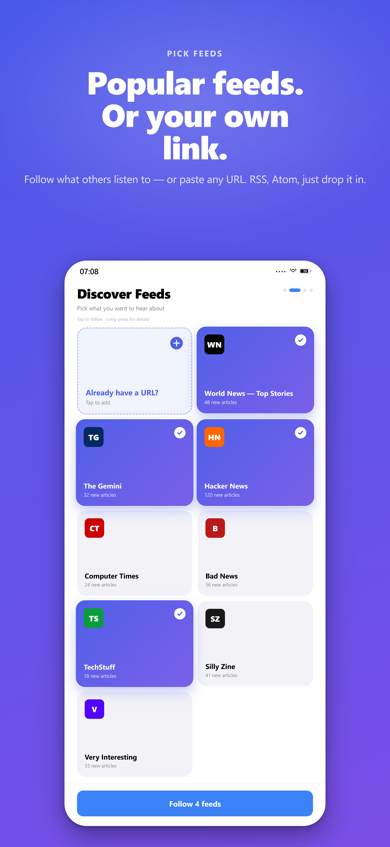
Import RSS feeds, any article URL, or an OPML file – SpokenFeeds validates and imports everything.
-
AI summarizes
A large language model reads every article and creates a compact summary in the article's original language.
-
Listen in your voice
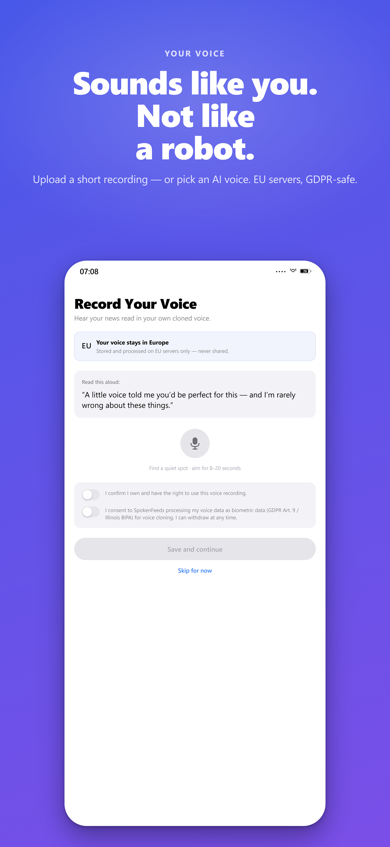
Voice cloning reproduces your voice or an AI-generated voice. Every summary is delivered as a personal MP3.
Will your feed work?
Paste any site or feed address – we look for a feed and tell you what we find. No account needed.
What people are listening to
A few of the sources our listeners follow – yours can be anything with a feed.
New Atlas: Technology-Innovation-Outdoor News
Extraordinary ideas and innovations moving the world forward.
MacRumors: Mac News and Rumors - All Stories
Apple, iPhone, iPad, Mac News and Rumors
Engadget - Technology News & Expert Reviews
Breaking news from the worlds of technology and entertainment, and expert reviews of the latest consumer tech products.
BleepingComputer
BleepingComputer - All Stories
3DPrinting.com
Road to VR
Virtual Reality News
The Art of Manliness
Men's Interest and Lifestyle
it-stud.io
Christian Müller - IT-Blog
Everything you need
Built for people who want to stay informed – without losing time
Voice Cloning
Upload a WAV file as a reference voice or use an automatically generated AI voice – fully configurable per language.
Multilingual
German and English are supported from the start. Language detection is automatic – no configuration needed.
Web Player
Listen to your summaries right in the browser, including background playback on your smartphone and a floating mini-player that stays on top while you work.
Follow Me
Start on your desktop, continue on your phone – playback follows you seamlessly across all your devices.
RSS & OPML
Any standard RSS and Atom feed works. OPML import allows migration from existing feed readers in seconds.
Smart Selection
A fair-select algorithm ensures no single feed dominates all slots – you get a balanced mix.
Short Versions
Switch any feed to one-sentence summaries. They play back-to-back as a single briefing block – perfect for sources you only want to keep half an eye on.
Smart Deduplication
The same story from five outlets isn’t read to you five times. SpokenFeeds compares articles by meaning and speaks only what’s actually new.
Briefing Times
Decide when your briefings are ready and how many articles each one holds – one at 7 a.m. for the commute, another for the evening.
Tags & Read Later
Heard something worth revisiting? Tag it as you listen – from the lock screen or the player – and filter your article list by tag later.
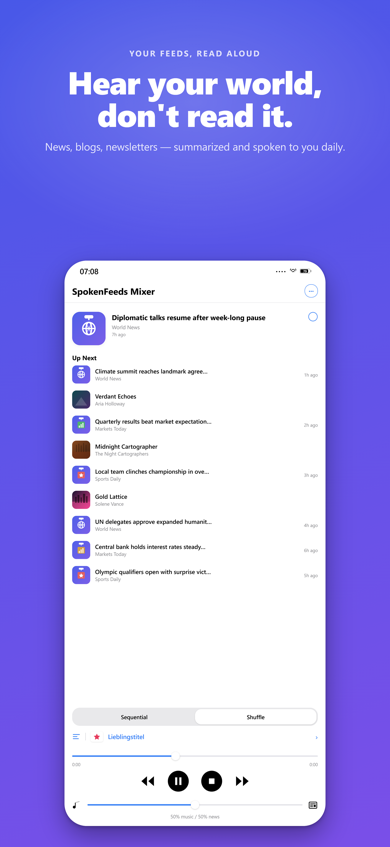
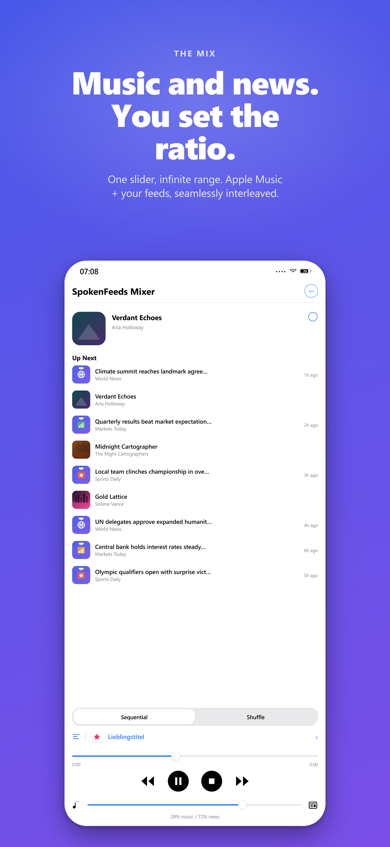
SpokenFeeds on iPhone
Native iOS app – mix your news with Apple Music. One slider controls the ratio.

Questions, feedback, or support? office@spokenfeeds.app · Community & Bug Reports